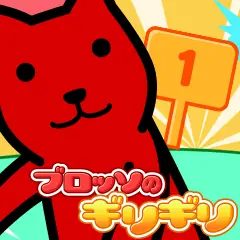
笑っているのか、泣いているのかさっぱり解らないが、人を笑わせることが大好きな驚異の無表情キャラ、ローネ。
今回はニラメッコであなたと勝負だ!
ローネは色々な姿であなたを笑わせようとするよ。
マイク入力にも対応しているのでマイクを持っている人は繋いでみよう。
ゲームのあそびかた
・マイクをパソコンに接続しよう。ヘッドセットが理想的。
・なるべくタイトル画面の右上の●が緑になるようにマイクの録音レベルを調節してください。
・Flash Player設定のウィンドウが出たら「許可」にマークを付けて閉じてください。
・あとはローネとニラメッコするだけ。
・笑うと負けてしまうぞ。
・でもマイクがなくても遊べるよ。
・マイクの接続方法についてはサポートいたしかねます。パソコンやマイクの説明書をご覧ください。
I don't know at all whether I'm laughing or crying, but Rone is a marvelous expressionless character who loves to make people laugh. This time I will play against you at Niramekko! Rone tries to make you laugh in various ways. It also supports microphone input, so if you have a microphone, try connecting.
How to play the game
・ Connect the microphone to your computer. A headset is ideal. ・ Adjust the recording level of the microphone so that the ● in the upper right corner of the title screen turns green as much as possible. -When the Flash Player settings window appears, mark "Allow" and close it. ・ All you have to do is Niramekko with Rone. ・ If you laugh, you will lose. ・ But you can play without a microphone. ・ We cannot support how to connect the microphone. See the instruction manual for your computer or microphone.




![クターのテンキー[マウス] logo](https://flashmuseum.net/wp-content/uploads/images/game-logo/other/クターのテンキー-マウス-logo-7wk.webp)